
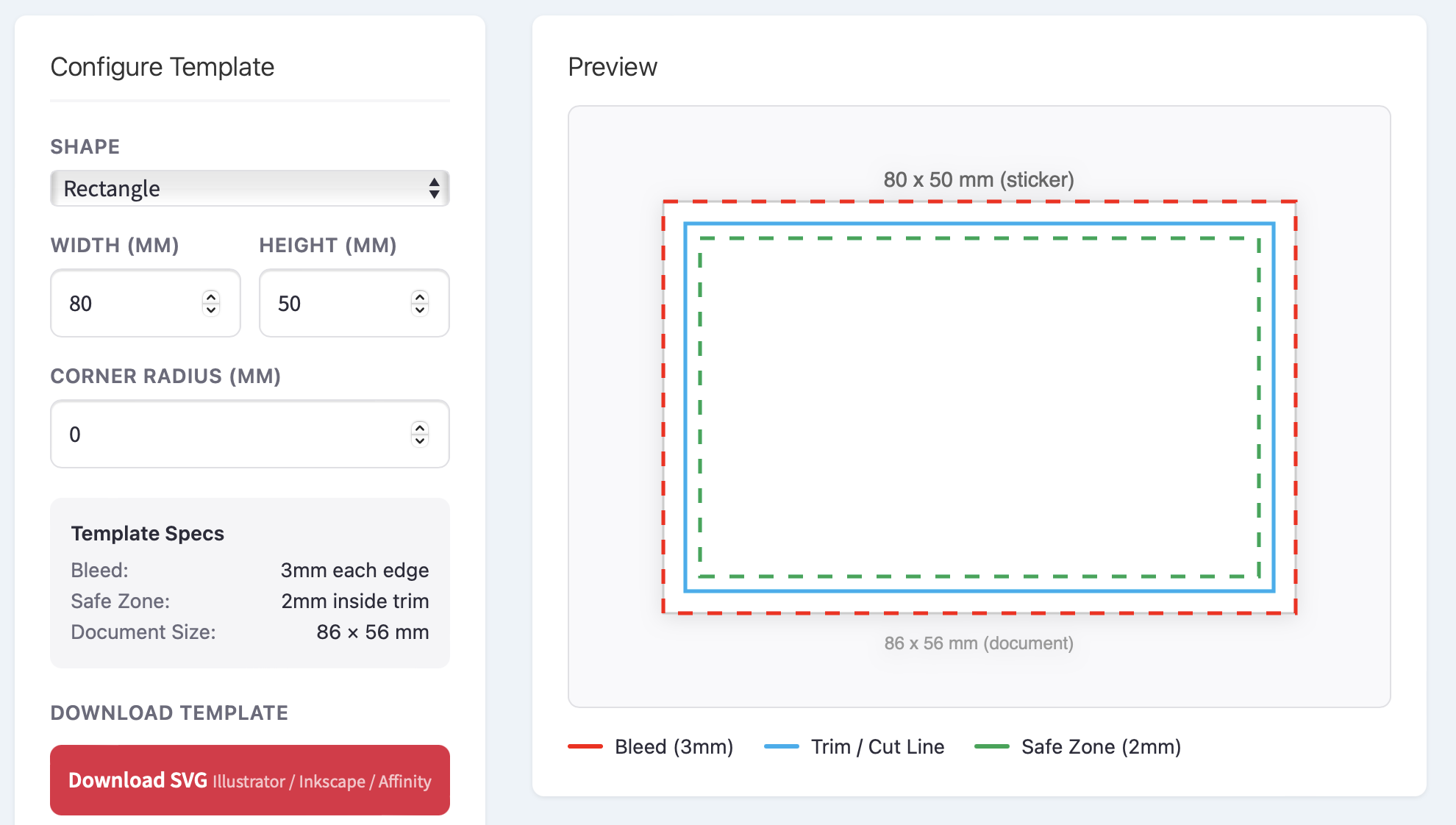
Setting up a sticker or label design file with the correct bleed, trim and safe zone can be one of the most frustrating parts of the print process — especially if you’re not a professional designer. Get it wrong and you end up with white edges, cropped text or artwork that doesn’t quite fit.
That’s why we’ve built a free Sticker Template Generator that does the setup for you in seconds.
What Does It Do?
Head to our Sticker & Label Template Generator, choose your shape, enter your dimensions and download a print-ready template file — complete with:
- 3mm bleed extending beyond the cut line
- Trim line showing exactly where the sticker will be cut
- 2mm safe zone so your text and logos are never at risk of being clipped
Templates are available in SVG, PDF and EPS formats, so whether you work in Illustrator, Photoshop, InDesign, Affinity Designer or Inkscape, you’re covered.
Why We Built It
Over the years, we’ve seen thousands of artwork files come through our print queue. One of the most common issues — and the biggest cause of delays — is artwork that’s been set up without proper bleed or safe zones. Designers spend time going back and forth fixing files, and customers have to wait longer for their stickers.
We wanted to remove that friction entirely. With the template generator, anyone can create a correctly sized file in a few clicks and start designing straight away, knowing the technical setup is already taken care of.
Shapes and Sizes
The generator supports four shapes:
- Circle — perfect for logo stickers, envelope seals and jar lids
- Square — ideal for QR codes, social media stickers and product branding
- Rectangle — the go-to for bottle labels, address labels and packaging
- Oval — a classic choice for artisan products, candles and cosmetics
You can enter any custom dimensions and, for rectangles and squares, add a corner radius to create rounded edges.
How to Use It
- Select your sticker shape
- Enter your width and height (or diameter for circles)
- Adjust the corner radius if you want rounded corners
- Check the preview to see your bleed, trim and safe zone guides
- Download your template in SVG, PDF or EPS
- Open the file in your design application and start creating
The template layers are clearly separated, so you can lock the guides and design on top of them with confidence.
What Happens Next?
Once your artwork is finished, you can upload it directly through our sticker designer when you place your order. We print on premium waterproof vinyl in glossy, matt, clear and metallic finishes — with no minimum order and fast UK delivery.
Try It Now
The Sticker Template Generator is completely free to use with no sign-up required. Give it a go and let us know what you think.