Posted on

Introducing Our Free Sticker Template Generator

Setting up a sticker or label design file with the correct bleed, trim and safe zone can be one of the most frustrating parts of the print process — especially if you’re not a professional designer. Get it wrong and you end up with white edges, cropped text or artwork that doesn’t quite fit.

That’s why we’ve built a free Sticker Template Generator that does the setup for you in seconds.

What Does It Do?

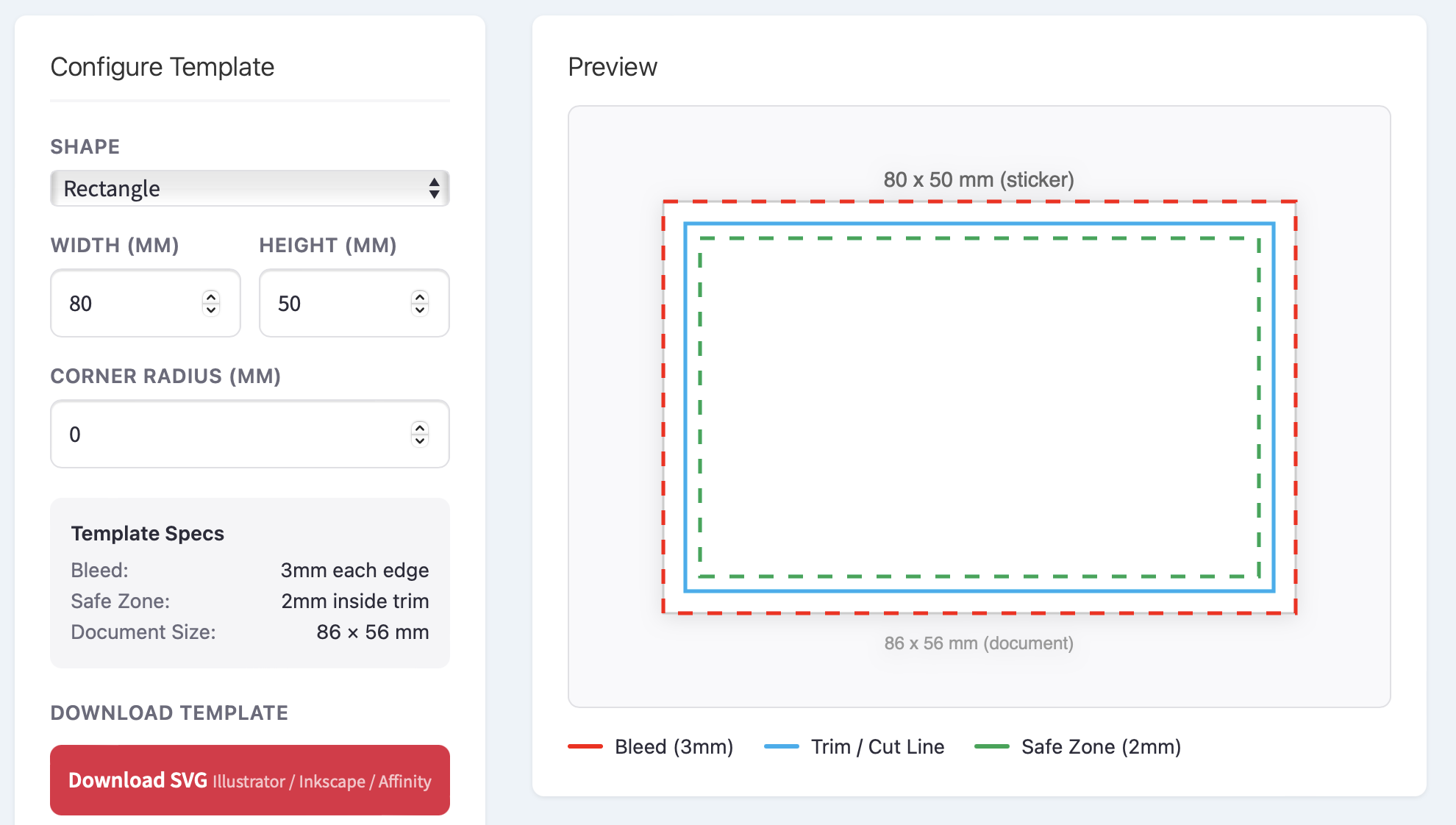
Head to our Sticker & Label Template Generator, choose your shape, enter your dimensions and download a print-ready template file — complete with:

  • 3mm bleed extending beyond the cut line
  • Trim line showing exactly where the sticker will be cut
  • 2mm safe zone so your text and logos are never at risk of being clipped

Templates are available in SVG, PDF and EPS formats, so whether you work in Illustrator, Photoshop, InDesign, Affinity Designer or Inkscape, you’re covered.

Why We Built It

Over the years, we’ve seen thousands of artwork files come through our print queue. One of the most common issues — and the biggest cause of delays — is artwork that’s been set up without proper bleed or safe zones. Designers spend time going back and forth fixing files, and customers have to wait longer for their stickers.

We wanted to remove that friction entirely. With the template generator, anyone can create a correctly sized file in a few clicks and start designing straight away, knowing the technical setup is already taken care of.

Shapes and Sizes

The generator supports four shapes:

  • Circle — perfect for logo stickers, envelope seals and jar lids
  • Square — ideal for QR codes, social media stickers and product branding
  • Rectangle — the go-to for bottle labels, address labels and packaging
  • Oval — a classic choice for artisan products, candles and cosmetics

You can enter any custom dimensions and, for rectangles and squares, add a corner radius to create rounded edges.

How to Use It

  1. Select your sticker shape
  2. Enter your width and height (or diameter for circles)
  3. Adjust the corner radius if you want rounded corners
  4. Check the preview to see your bleed, trim and safe zone guides
  5. Download your template in SVG, PDF or EPS
  6. Open the file in your design application and start creating

The template layers are clearly separated, so you can lock the guides and design on top of them with confidence.

What Happens Next?

Once your artwork is finished, you can upload it directly through our sticker designer when you place your order. We print on premium waterproof vinyl in glossy, matt, clear and metallic finishes — with no minimum order and fast UK delivery.

Try It Now

The Sticker Template Generator is completely free to use with no sign-up required. Give it a go and let us know what you think.

Launch the Template Generator →

Posted on

New: AI Label Designer – Turn Your Ideas into Pro Designs in Seconds

Designing labels with a simple Ai prompt.

We’re excited to launch our brand-new AI Online Designer – the fastest way to create stunning, print-ready labels and stickers.

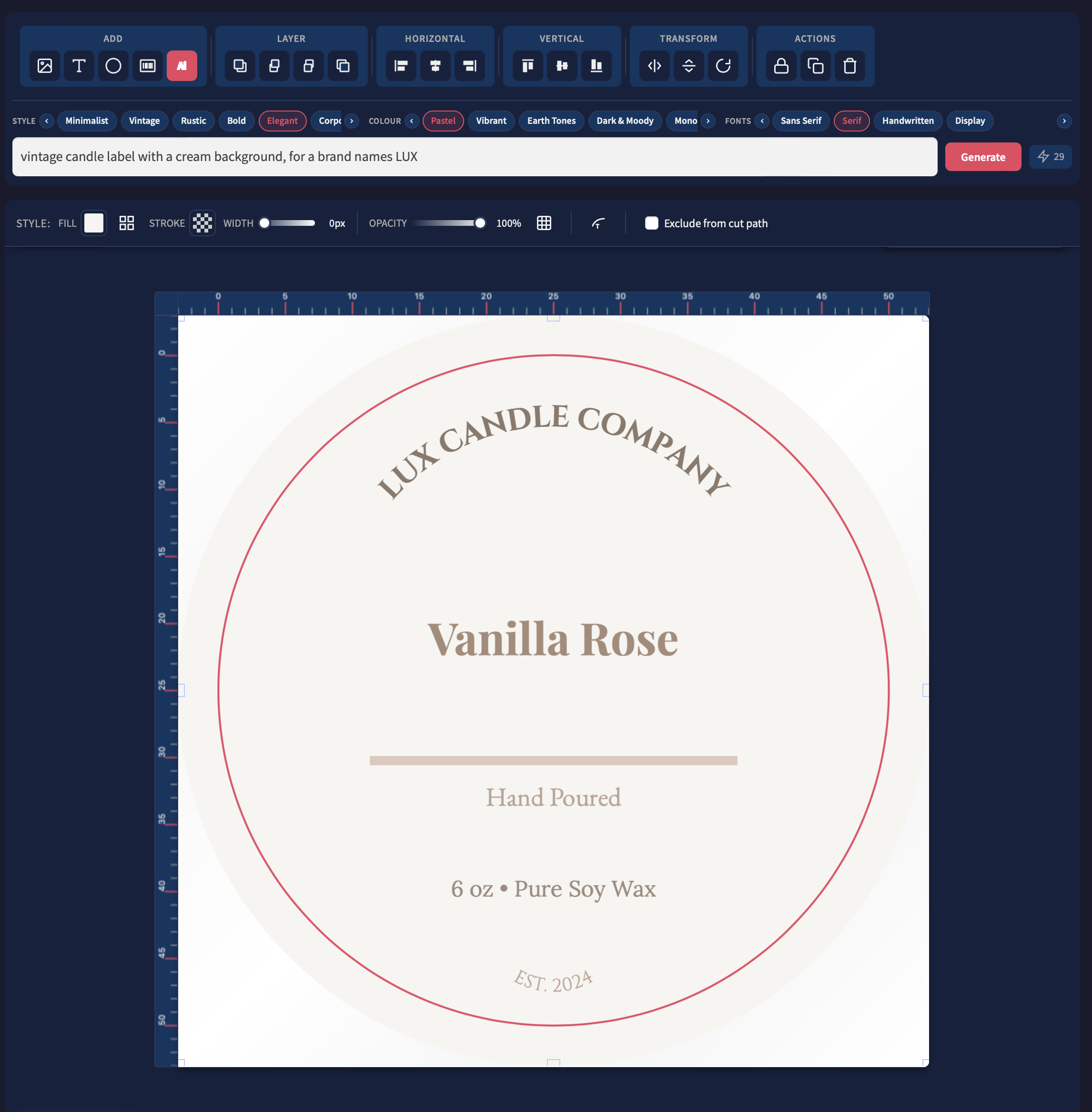
Designing labels and stickers with Ai. Simply enter a prompt and we'll create an editable label for you.

Here’s how it works: Simply type a prompt like “an elegant candle label for a brand named LUX” and our AI instantly generates a complete, professional design. You can then edit everything directly in our powerful online editor – move elements, change fonts, adjust colors, add curved text, insert barcodes, and more.

Key features you’ll love:

  • Curved & arched text
  • Multiple barcode types (EAN, UPC, QR, etc.)
  • Full editability – tweak any part of the design
  • Print-ready output in seconds
  • Works perfectly with all our premium materials

Try these prompt examples:

  • “Minimalist white wine label for a Chardonnay, elegant gold foil accents”
  • “Bold modern sticker for organic coffee, dark green and black, recyclable symbol”
  • “Playful kids toy label – bright colors, cartoon robot, 50mm round”
  • “Luxury skincare jar label – soft pastel pink, serif typography, rose gold effect”

10 Free Credits on Signup Every new account starts with 10 free credits so you can test the AI Designer risk-free. Each generated design uses just one credit.

Prefer to design your own way? No problem. You can still upload your own artwork, logos, or start completely from scratch in the same editor. The AI is here to help when you want speed and inspiration – not replace your creativity.

Whether you need one label or thousands, our AI Designer saves you time, money, and design fees while delivering professional results every time.

Ready to create your first label in under 60 seconds?

Posted on

Unraveling the Sticker World: Die Cut, Kiss Cut, Sticker Sheets, and Die Cut with Kiss Cut Stickers

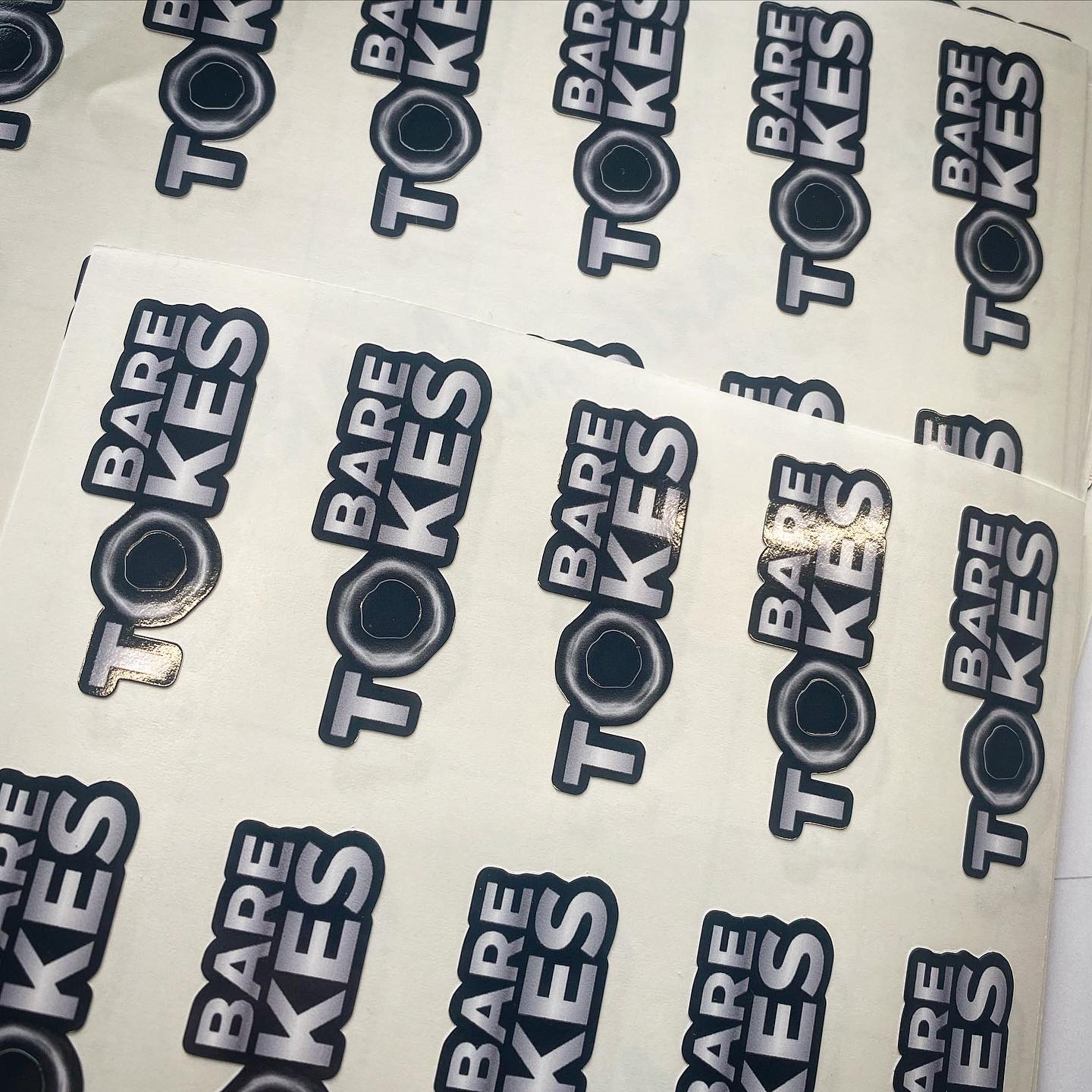
Custom Kiss Cut Labels

Stickers have become an integral part of our lives, whether it’s for personal or commercial use. They are versatile, creative, and an effective means of communication. But with so many options available, it can be challenging to understand the differences between the various types of stickers. In this article, we will explore the distinctions between die cut stickers, kiss cut stickers, sticker sheets, and die cut stickers with kiss cut, discussing their benefits, design ideas, and the complexity in artwork involved.

  1. Die Cut Stickers:

Die cut stickers are cut through both the vinyl and backing paper, resulting in a sticker that has a custom shape, which follows the contours of the design. This method provides a clean, professional look, perfect for branding or as standalone art pieces.

Benefits:

  • Unique, customized shapes for a more attractive appearance
  • Durable and less prone to peeling
  • Ideal for branding and promotional purposes

Design Ideas:

  • Company logos or mascots
  • Custom illustrations or artwork
  • Creative typography designs

Artwork Complexity:

  • Requires precise design and cutting
  • May increase production costs for intricate shapes
  1. Kiss Cut Stickers:

Kiss cut stickers are cut through the vinyl layer but not the backing paper, leaving a small border around the design. This makes them easier to peel and apply, while still offering a clean, professional look.

Benefits:

  • Easier to peel and apply
  • Ability to include more detail in designs
  • More efficient use of material

Design Ideas:

  • Labels and packaging
  • Detailed illustrations or patterns
  • Multi-colored designs

Artwork Complexity:

  • Less complex cutting process
  • More room for design elements due to the border
  1. Sticker Sheets:

Sticker sheets consist of multiple stickers arranged on a single sheet of backing paper. They can be a combination of die cut or kiss cut stickers, offering variety and efficiency in a single product.

Benefits:

  • Cost-effective
  • Space-saving and easy to store
  • Allows for multiple designs on one sheet

Design Ideas:

  • Collections of themed designs
  • Product labels for a single brand
  • Customized sticker sets for events or promotional purposes

Artwork Complexity:

  • Requires careful layout planning
  • Can accommodate different shapes and sizes
  1. Die Cut Stickers with Kiss Cut:

These stickers combine the best of both worlds, featuring a die cut sticker with an additional kiss cut around the design. This provides the unique shape of a die cut sticker while maintaining the easy-peel benefit of kiss cut stickers.

Benefits:

  • Custom shapes with easier peeling
  • Allows for additional design elements outside the main shape
  • Versatile for various applications

Design Ideas:

  • Informational stickers with added graphics or text outside the main shape
  • Art pieces with an extra decorative border
  • Promotional stickers with removable bonus features

Artwork Complexity:

  • Combines the complexity of die cut and kiss cut stickers
  • Requires precise cutting and design planning

Conclusion:

Understanding the differences between die cut stickers, kiss cut stickers, sticker sheets, and die cut stickers with kiss cut can help you make the right choice for your needs. Each type offers unique benefits, design possibilities, and levels of artwork complexity.